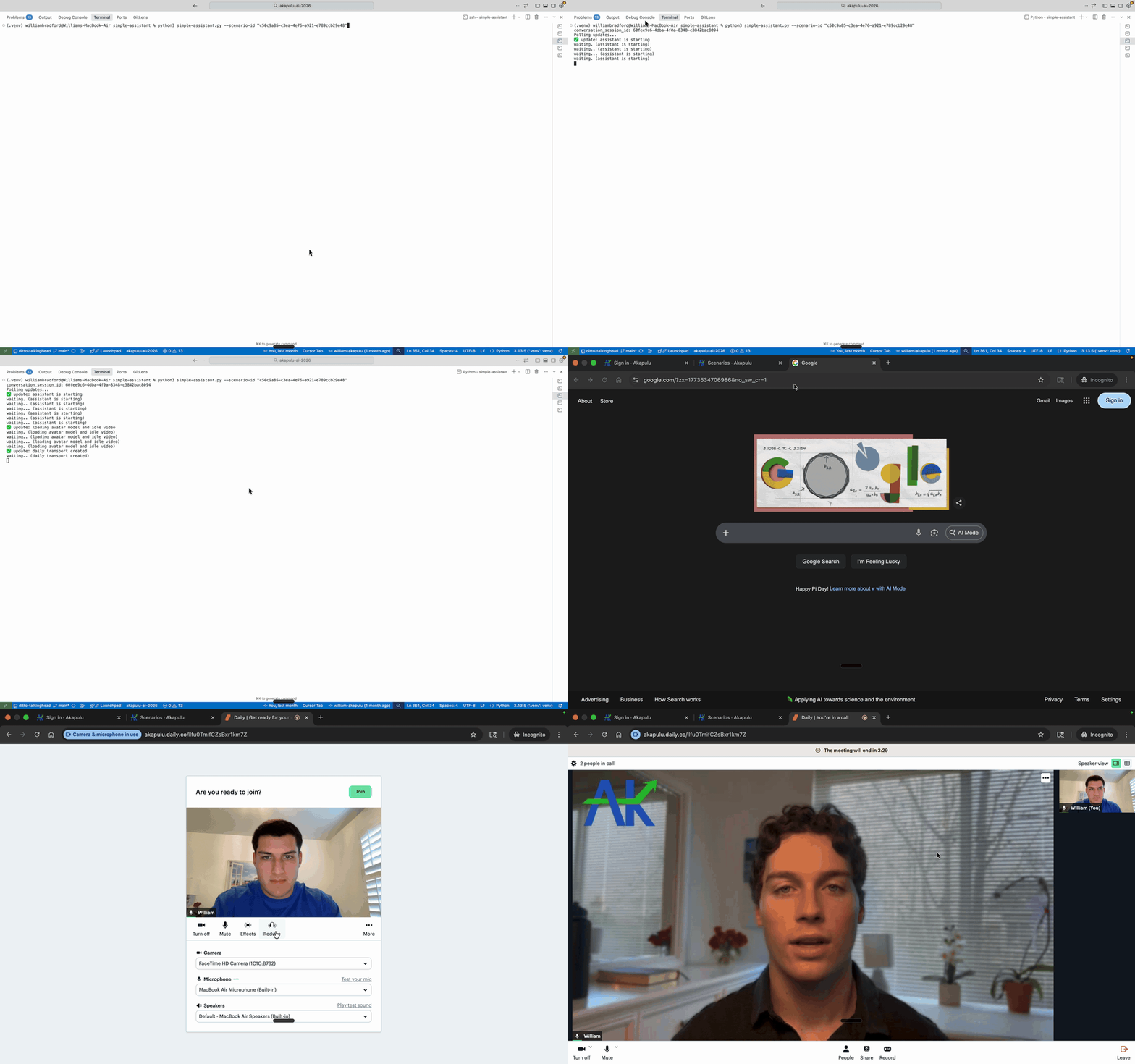
What this example shows
- Creating a conversation connection
- Joining and managing the session lifecycle
- Running a basic assistant interaction loop
Walkthrough
1) Create a scenario
Start by creating a simple scenario in the Akapulu app. This is the scenario your assistant session will use when you connect.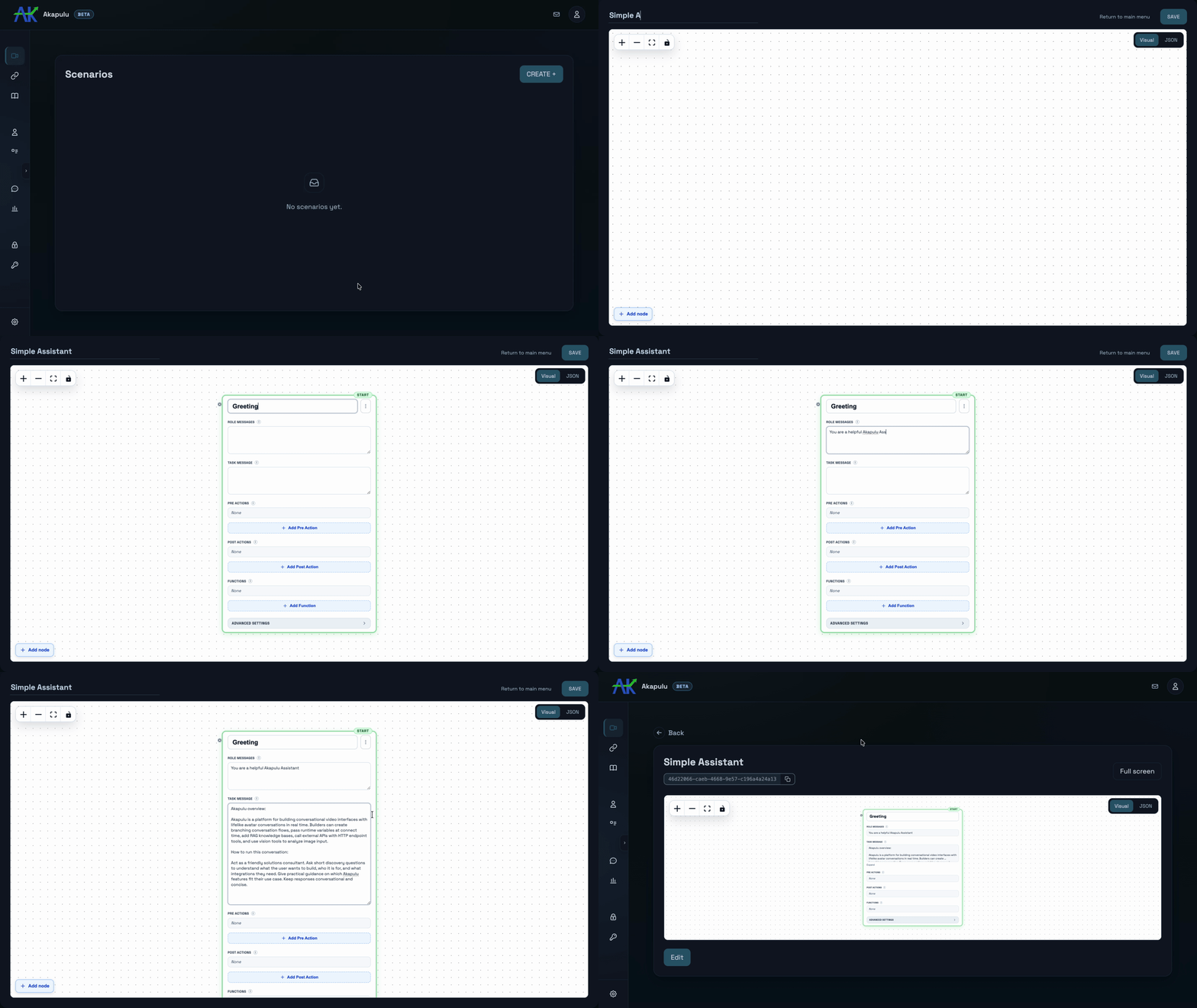
2) Run the assistant
With your scenario ready, run the example and connect to a live conversation. You can then test the full request/response loop end to end.Optionally, replace
avatar_id in examples/examples/fundamentals/simple-assistant/simple-assistant.py with your desired avatar ID.You can browse available options in the avatar catalog.