

About Akapulu Labs
- Akapulu Labs is an AI research lab building a platform for AI avatars: live conversations and scripted video clips.
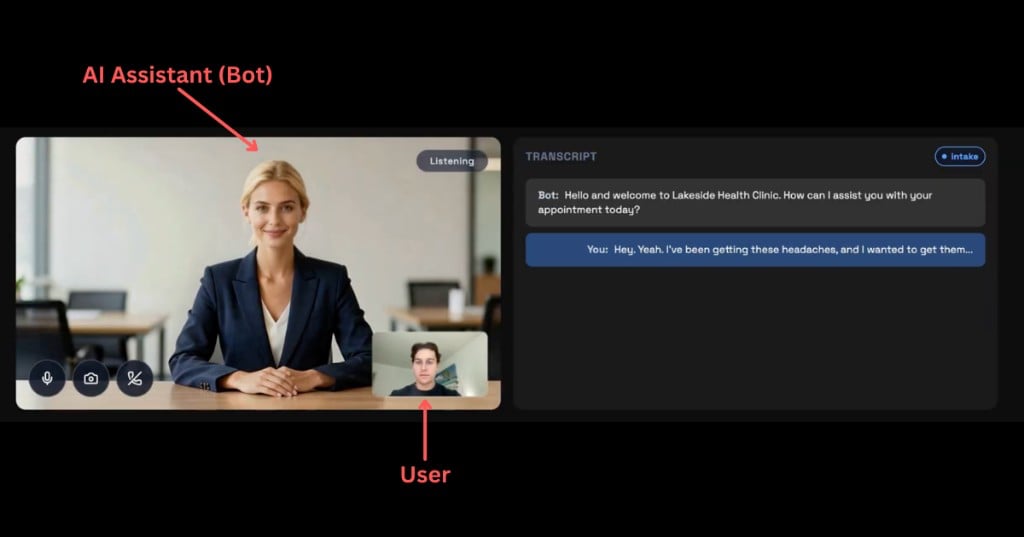
- Live conversations: AI assistants (bots) that join calls with users. The user speaks naturally, and the bot listens, responds in real time, and follows your configured instructions and tools.
- Scripted clips: you supply a script; Akapulu Labs generates talking-avatar audio and video. That flow is in Scripted video clips. The rest of this page is the live conversation pipeline.
Architecture
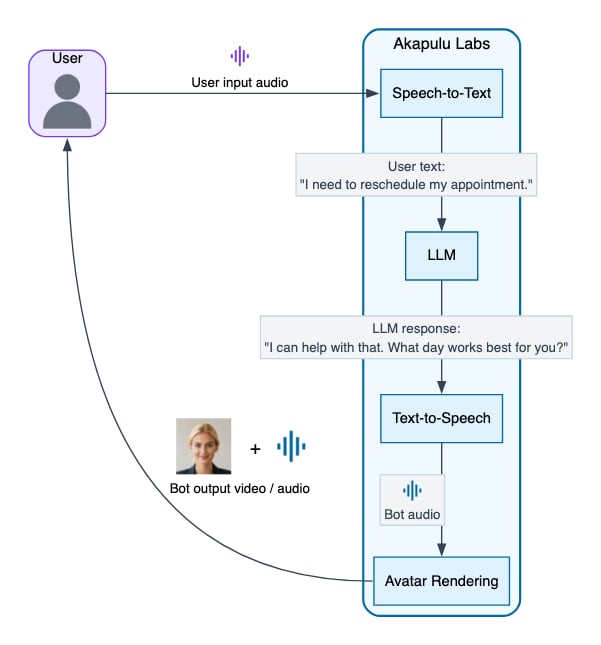
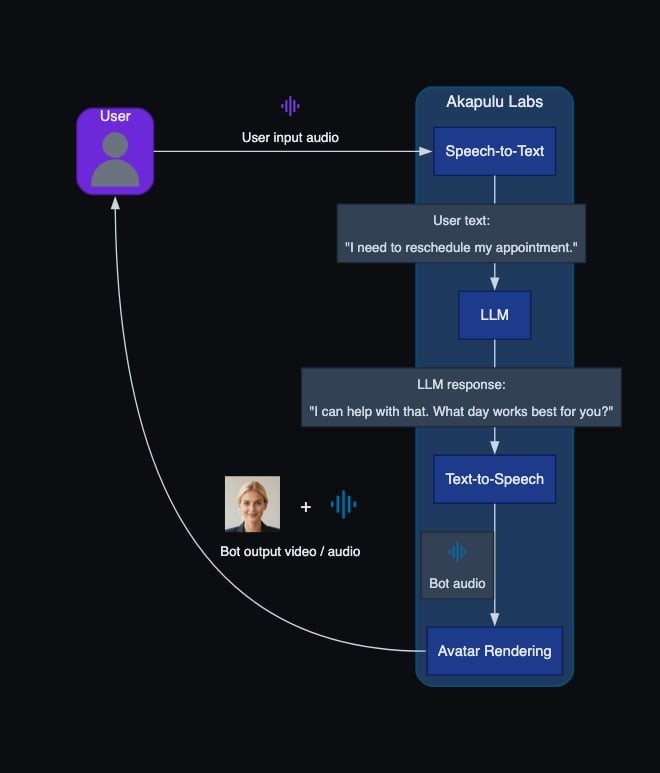
Akapulu Labs runs each conversation through a real-time pipeline of linked stages: it receives user audio (and optionally video) input, generates the bot’s spoken response, and streams synchronized audio and avatar video frames back to the user. Each stage in that pipeline has a specific role, described below.- User media input: receives the user’s microphone audio and optional camera video from the call.
- STT (speech-to-text): converts the user’s spoken audio into text the LLM can process.
- LLM (reasoning layer): reads the transcribed user input plus your instructions, then decides what to say and which tools to call.
- TTS (text-to-speech): turns the LLM’s text response into spoken audio for the bot.
- Avatar rendering/animation: synchronizes the avatar’s face and mouth movement to the generated speech so the response is delivered as a talking avatar.
- Avatar media output: streams the bot’s synthesized audio and rendered avatar video frames back to the user in real time.
Conversation pipeline
Controlling bot behavior
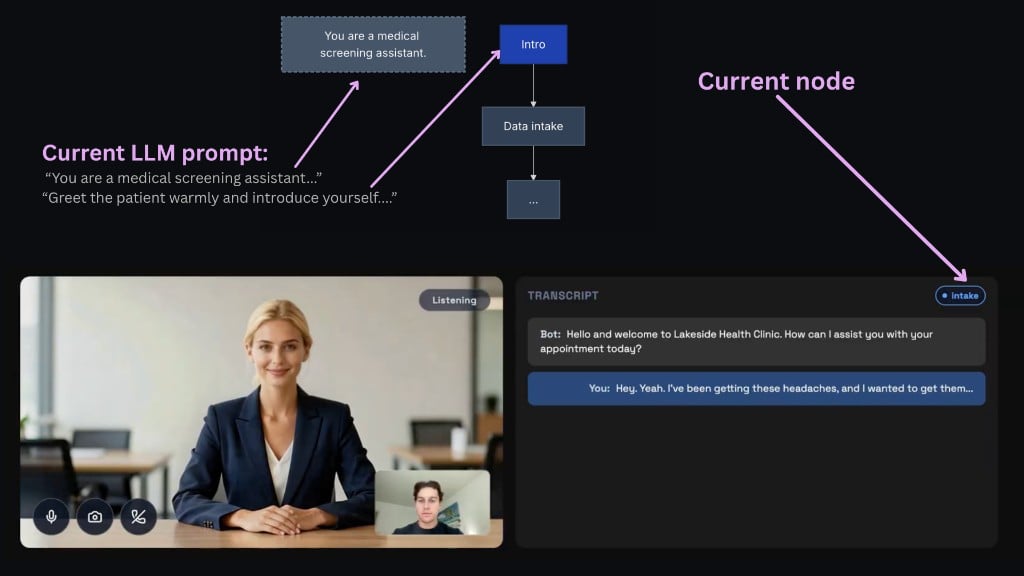
The content of the bot’s response is determined in the LLM section of the pipeline. This is where you control behavior through both global role prompts (for the avatar’s overall persona, tone, and guardrails) and node-level instructions (for what to do in each stage), plus the tools and knowledge that the llm has access to. In Akapulu Labs, you apply that behavior by launching each conversation with a scenario. The scenario provides the global role context, node-specific instructions, tool access, and flow that the LLM uses during the conversation.Scenarios and conversation stages
For most real conversations, a single static prompt does not provide enough control. The assistant often needs different guidance and tools at different moments in the conversation, and the ability to take certain actions according to predefined criteria. A scenario lets you design that flow as a set of stages. At each stage, you can decide:- what the assistant should focus on right now
- how it should respond
- which tools it can use at that point
- Interview Training Avatar — An AI interview coach that runs a candidate through the phases of a realistic hiring conversation (rapport, background, technical depth, wrap-up). You would build this to give people a safe, repeatable way to practice answers and pacing before real interviews—without needing a human interviewer for every session, while still enforcing a clear structure and branch points (for example, extra review when answers miss the bar). Stage flow: intro and rapport → general background questions → technical questions → next steps
- Patient Intake Screening — A front-door assistant that guides a patient through consent, structured data collection, booking, and follow-up questions, optionally using vision or knowledge-base tools along the way. You would build this to offload routine intake from staff, keep the conversation consistent with policy, and let patients self-serve scheduling and common Q&A while still escalating or ending cleanly when appropriate. Stage flow: intro → data intake → appointment booking → Q&A → end
Nodes
Akapulu Labs implements these stages using nodes. A node has custom instructions for the LLM and the specific tools connected to that node. The bot (LLM) can choose to transition to different nodes through tool calls.
Using Akapulu Labs
- Create a scenario for your desired use case, including a global
role_instructionand node-leveltask_instructionprompts.
example id: scenario_1234
- Then, to start a conversation, call the
/connectendpoint and passscenario_id(which flow and instructions the bot follows) andavatar_id(which trained avatar performs the conversation).
- The user then joins the same call, and you’re ready to go!
Next steps
- Learn more about Scenarios to design node flows and behavior.
- Learn how to customize the conversation UI in your frontend.
- Generate a talking-avatar video from a script: Scripted video clips.
- Browse Examples for end-to-end reference implementations.