

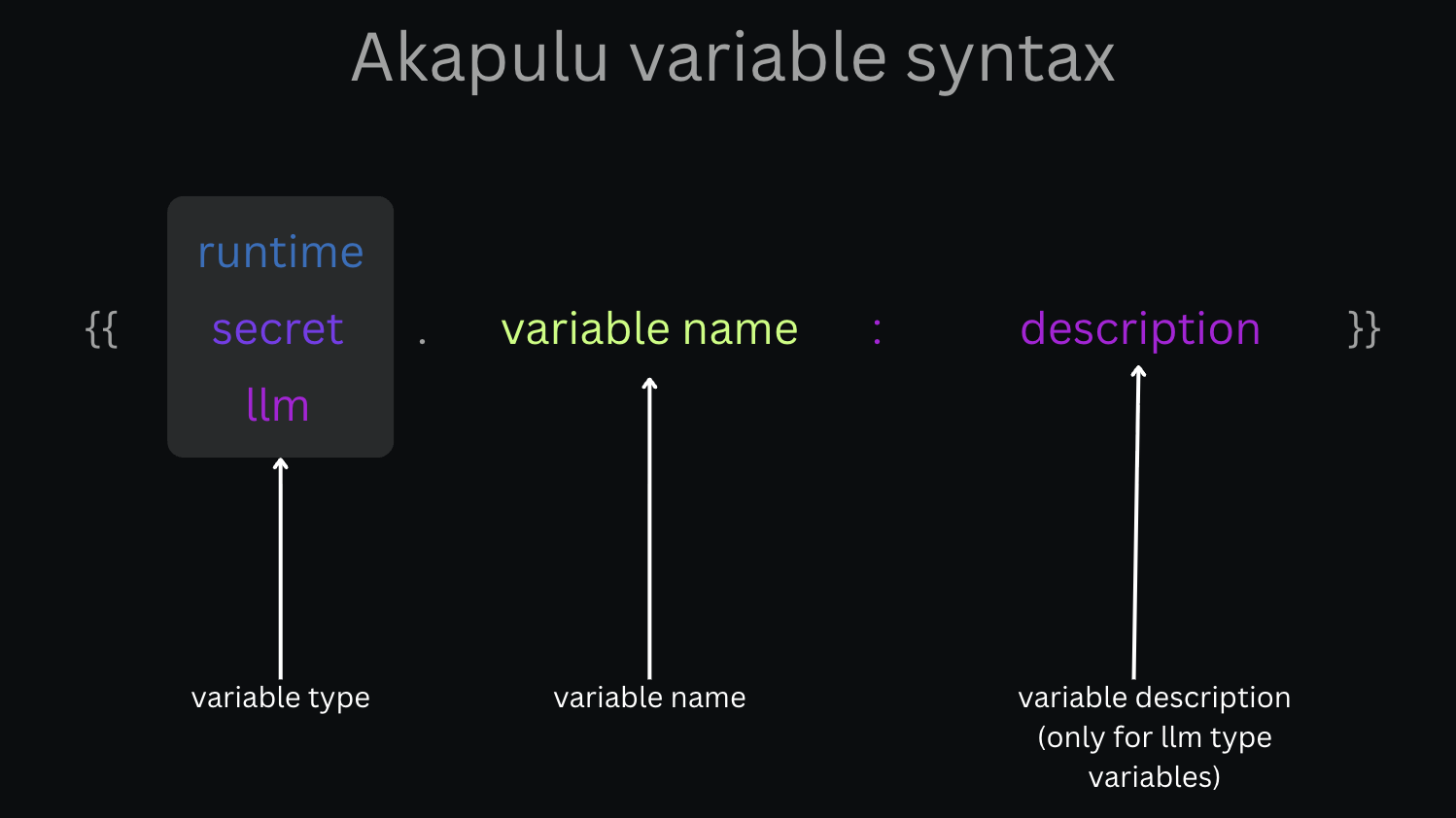
 You can use template variables in both
 headers and body for HTTP endpoints.
Akapulu also stamps X-Akapulu-Conversation-Session-Id on every HTTP tool POST (live conversation and Testing Mode). That value is not a template. It is added at call time so your server can identify the session. If you set the same header in the endpoint config, Akapulu overwrites it. Use it to update conversation context after a background job finishes.
Template format:
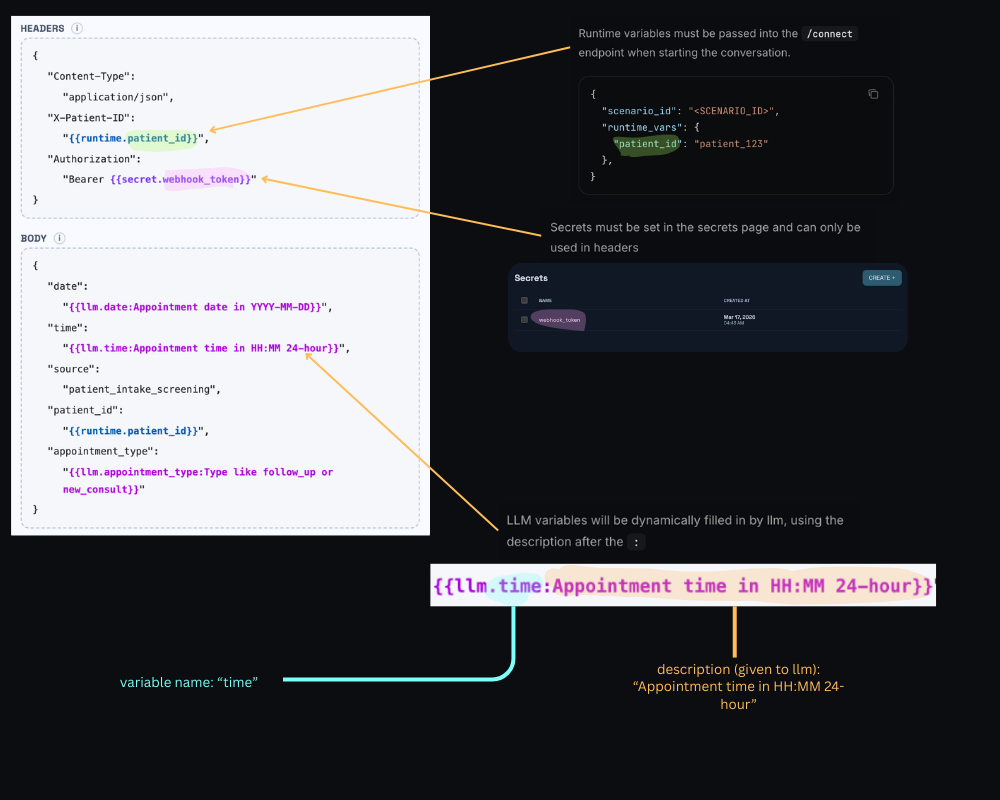
Secret variables
Syntax:secret variables must be created in akapulu.com/secrets.
Secret variables are allowed only in endpoint headers. Secret variables are not allowed in request body fields,
role_instruction, or task_instruction. role_instruction, task_instruction, and HTTP endpoint request bodies may be visible to users, so they should not contain sensitive information.Runtime variables
Syntax:runtime variables must be passed to the connect endpoint as runtime_vars.
Web SDK: If using the Akapulu Labs Web SDK, from your backend connect route, call
akapulu.connectConversation from @akapulu/server and pass runtime_vars with the same keys you use in {{runtime.*}} templates. See Customize Conversation UI for a full connect-route example.In role_instruction and task_instruction
You can use the same {{runtime.*}} placeholders in the scenario’s global role_instruction and each node’s task_instruction. They are expanded from runtime_vars at connect time, so the model sees the resolved text for that session (unlike {{llm.*}}, which only resolves when a function tool runs).
Example (fragment; your scenario also needs the usual nodes / routing fields):
company_name, user_id, preferred_name, patient_id, etc.) in runtime_vars on connect.
LLM variables
Syntax:Function tools
{{llm.*}} placeholders work in HTTP endpoint templates (for example headers and body) when that endpoint is attached as a function tool: the model supplies values only when it invokes the tool, and those values are merged into the outgoing request.
{{llm.*}} is not supported in role_instruction or task_instruction. Those strings are fixed prompt text for the node (with only the other variable types applied, such as runtime.*). The model does not “call” them like a tool, so there is no tool-call step where it could fill LLM parameters.
Mixed example
Below, a booking flow uses runtime substitutions inrole_instruction and task_instruction, plus one HTTP endpoint (attached as a function tool) that mixes secret, runtime, and llm template variables.
Scenario: role_instruction and task_instruction
Fragment showing runtime templates in prompts (your full scenario also needs routing, tools, and so on):
functions, edges, and other required scenario fields. In your real JSON, attach the HTTP function tool that uses the endpoint template below.
HTTP endpoint template (function tool)
Connect payload (where runtime values come from)
Your backend passes the same keys used in{{runtime.*}} above:
{{llm.*}}, which resolve when the model invokes the tool.
Example HTTP request (after secret + runtime substitution and a tool call)
Akapulu Labs issues this as an HTTP POST to your endpoint URL.Authorization and patient_id / session header came from secrets + runtime. appointment_date and appointment_time are whatever the model supplied for date and time on that call.